Web Analytics as a Service course is currently closed.
Transform your Web Analytics knowledge into a profitable and strategic skill that brings value to your clients and grows your business.
You feel dependent on the project by project fees and are struggling to create a consistent monthly income for yourself.
Every time a client asks you about Google Analytics (or any other Web Analytics tool) your body cringes and you change topics quickly.
When a project ends, you want to pitch the client additional services but have no idea what to say.
You are curious about expanding your services and don’t know what to do next.
When I started my first corporate Web Analytics job, I felt such a mix of emotions. I was in northern Argentina, in the province of Salta, camping in the middle of nowhere with three friends, between mountains and deserts.
I don’t know how I managed to get signal but my phone rang and the Director the Buenos Aires office let me know that I’d gotten the job as “Web Analytics Implementation Consultant”.
I was ecstatic! I jumped up and down silently as one of my friends smiled and celebrated with me.
I now had a 4-word job title and Omg! I had no idea what Web Analytics was. Fear crept in as I realized I was heading into unknown territory.
When I got back from my trip and started learning about Web Analytics and my eyes were burning from all the reading. I was constantly worrying about the following things:
I don’t understand all those metrics! There are so many and they are confusing. Do I look like a math genius to you?
Look at all those reports? Which ones are really important?
The Admin area of these tools are scary and I’m worried I’ll screw up the clients analytics if I touch something in there
I have no idea what I’m doing when I go into the tool.
There were also fears and insecurities that were haunting me at a deeper level:
What if the client asks me something I don’t know how to answer?
I don’t know enough
I feel like a fraud (and am getting paid - ah! guilt!)
At the end of the day, what got me through a lot of this stress was my team, knowing I could lean on them when the answers to the questions weren’t clear. But in many ways, I still felt inadequate and here are some things I wish I could have told myself back then:
You’ll never know everything, and that’s okay!
If your client asks you a question you don’t know, just be honest and tell them you will look into it. This might seem weak, but it’s actually strong and clients will respect you for it.
Look at every single ounce of progress you make every day and celebrate it. Enjoy all the learning you are doing.
Looking back I now realize I was my worst enemy and what I really needed was to be my own personal cheerleader and be able to give myself perspective in the day to day struggles as I was learning and working with clients.
This is something that is essential in the Web Analytics as a Service course; knowing how to be your own biggest fan! Not to mention, I tell you exactly how to answer all those questions that clients tend to ask and give you a framework to make this skill profitable from the get go. Talk about a major shortcut!
You sit down down with your tea/coffee to work, booked out for the rest of year with clients who appreciate your work and keep asking for your availability. You feel peace of mind and happiness as you prioritize your day to day work tasks.
You get to work with who you want, how you want and your clients keep extending their time with you. What a dream! But none of this surprises you because you've had a secret weapon on your side the whole time - DATA!
Web Analytics is an integrated part of your business as a :
Web Designer
Web Developer
Virtual Assistant
Marketing Coach
Pinterest Coach
Business Coach
Online Business Manager (OBM)
Social Media Manager
Why? Because it helps you lead your clients to make smart strategic decisions that ensures that they will continue hiring you again and again.
Web Analytics as a Service is an integrative course for anyone who services small businesses that will teach you the essential technical knowledge of a tool like Google Analytics, complemented by sales and marketing guidance on how to transform this skill into a profitable service.
Every time you open one of those reports, you feel a mix of heartburn, a headache, and shortness of breath. It is like you need to be in a coma to actually convince yourself, “Okay...today is the day I will start to understand Google Analytics reporting.”
And deep down, there are some other real reasons why you’ve been avoiding your data up until now.
I totally get it. Web Analytics is super overwhelming and every time you try and go in there to understand your client’s data, you seem to get nowhere. But here is a little secret I want to let you in on: you don’t need to use ALL the reports in the tool. The key is knowing which ones to focus on, and I’ll show you which ones those are.
I know the feeling, you busy bee! And the last thing I want to suggest is adding one more thing on your long to-do list of tasks. What I do want to open your mind to is integrating what you already do in your business with the real facts of site traffic data. Instead of guessing what is really going on with your site, you can look at the data and just know.
Imagine knowing:
exactly which marketing traffic (social media, email. SEO, etc.) is getting people to purchase your client’s services.
which marketing campaigns let to opt-ins download.
what changes you made that led to more conversion and sales on your client’s website.

And here is the other thing: This course is specifically for businesses that service other small businesses who want to start using data to attract and retain those badass clients she’s been dreaming about.
Waiting
When you integrate a Web Analytics tool like Google Analytics into your services, you add additional value to your clients’ businesses, become indispensable, and, said plainly, can easily raise your rates!
Video section
Hema is one of the Web Analytics as a Service alumni who took her knowledge from the course and used it to make some great shifts in her business that lead to more clients.
Using Google Analytics in my business has helped me design more strategic and effective websites for my clients. I'm able to see how my designs improve conversion rates, and make adjustments as needed to continue to make improvements for retainer clients. This allows me to charge more, because I'm delivering actual, measurable results to my clients--and they're happy to pay, because they're getting the results they want!
Making decisions around your marketing and content creation for new offerings without using your data is like trying to make your way across a new city without a map -- you can do it, but you'll probably miss out on the highlights and have a lot less fun than if you'd done a little research. Why wouldn't you wanna use all the resources possible to give your audience what they want and make more money following your passion? That's what understanding your analytics allows you to do.
Web Developer
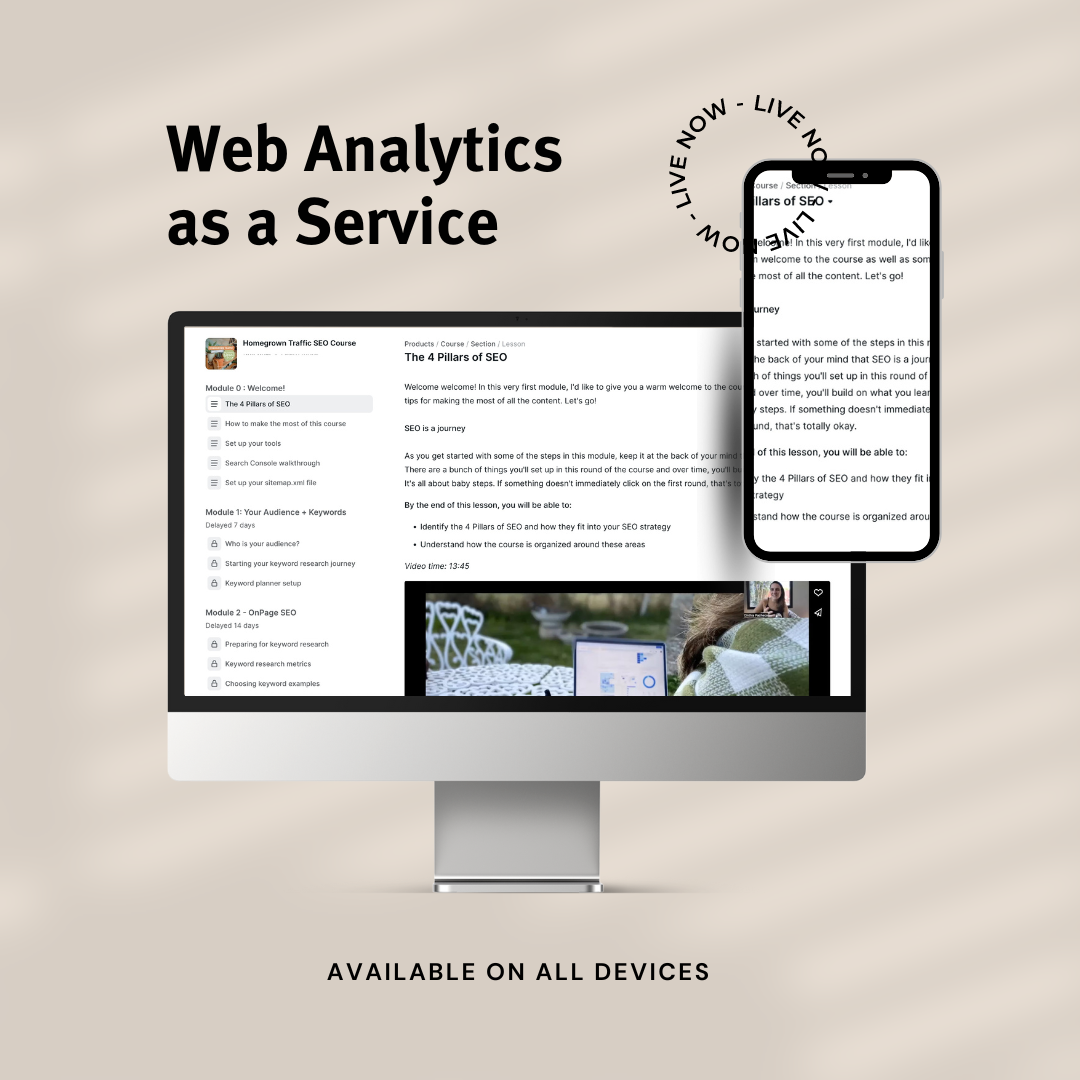
Setup your Web Analytics tool easily and correctly on any website platform
Use the back-end Admin area in the best way possible, without getting horribly confused and frustrated.
Present your clients with the reports that you know matter and yes, actually understand the metrics (knowing which ones to actually pay attention to!).
Incorporate the data in the content and marketing plan for your business in a meaningful way that justifies the time you spend analyzing!
✅ Module 0 - Web Analytics 101
In this Module, you start to understand how to start thinking of Web Analytics as your secret weapon tool to empower the rest of the work you do for clients. You will learn how to answer the question "Why should I look at my data" and how to make full use of the course.
✅ Module 1 - Setup + Tour
Learn your way around the important parts of the tool without wasting lots of time and energy. Understand the basics of how these tools work and how to make sure they are capturing data correctly. I’ll show you the best way to use the code given to you when setting up a Web Analytics like Google Analytics 4 (and two other alternatives that are more data privacy centered).
✅ Module 2 - Admin Configuration
Getting your tool set up also means using the admin area correctly. I’ll be covering all the critical areas of the tool and what you want to make sure you have setup to ensure the best data quality.
You will also learn how to manage multiple client accounts without getting confused! Yay!
✅ Module 3 - Reporting
Now we get into the fun stuff! I know reporting can be one of the most stressful parts of Web Analtyics and that's why I've dedicated a whole module on it. Here I teach you how to get started with your analysis, specifically which reports to look at (not all are useful in the tool) and what all those metrics mean. I also have some reporting use cases with real clients where you will see how I walk through analysis and reporting with the clients over the phone.
In this module I’ll be covering the key reports and metrics you want to understand to then be able to talk with your clients. The report will help you analyze:
ROI on Marketing traffic
Website conversion
Overall what is working and what isn’t (and what to do about it)
You also get pre-made reporting templates that you can copy and go start using with your clients. Nice right!?
✅ Module 4 - Selling your Web Analytics services
We switch gears in this module and review how you can sell your Web Analytics services specifically for your types of clients and how to package them with your current offerings.
I’ll be covering individually how to do this as a:
Virtual Assistant
Web Developer
Web Designer
Pinterest Expert
Marketing Coach
Social Media Coach/Manager
In each individual lesson I’ll cover:
What reports to focus on with your clients
What metrics you want to understand
Specific service packages you can pitch
We will also walk through the pitching process with you (check out Bonus #4 for specific email scripts you can use with your clients). You don't need to worry about exactly what to offer your clients because I tell you exactly what services to offer and how to package them.
You don’t have to wait to have all parts of the tool figured out to start selling this to your client today!
Juci of Code and Glitter is a long time student of the course and she has gotten great value from it.
Web Analytics as a Service course is currently closed.
I know how overwhelming understanding and pitching Web Analytics can be. That’s why in August 2024 I’ll be providing 3 live Q&A calls to answer specific questions for each type of business.
Live Q&A Call #1 is for Web Developers and Web Designers (or anyone who is more focused on their client’s website).
Live Q&A Call #2 is for Social Media Managers, VAs, and Pinterest Experts (or anyone who is focused on a specific area of the client’s marketing).
Live Q&A Call #3 is for Business Coaches and OBMs (or anyone else who is is focused on the high level strategy for the client’s)
Live call dates to be announced soon!

We also have a few bonus trainings!
Learn how to track conversion in Google Analytics (and the two other Web Analytics tools I propose). This will allow you to track ROI on all marketing and other reporting inside of your Web Analytics tools.
This is a whole lesson in itself since having the right UTM tracking can change the reporting we can share with clients. This allows us to individually track each marketing effort and how it’s performing.
When things are going well it can be easy to share with clients. But what do you do when traffic is down? This lesson delves into this specific topic.
Understanding how to share this new service with your client’s can be daunting! That’s why I teach you exactly what to say, and when to launch your new service. You can take these and edit them to sound more like you but it gets the ball rolling faster.
4 Modules with
4 Bonus Lessons
Worksheets in each module
Step by Step Instructions on Setup and Analysis
Ready to use Reporting Templates
Email Scripts to pitch GA services to clients
Service packages specific to these businesses:
Web Developers
Web Designers
Virtual Assistants
Business Coaches
OBMs
Pinterest Experts
Social Media Experts
Live August 2024 Q&A calls to answer specific questions on how to use Web Analytics in your business.
Each lesson includes:
Easy to follow video instructions, showing you how to move around in the tool, use it strategically in your business, and communicate to clients.
Clear instructions of how to approach WEB Analytics for the first time (especially helpful if you’ve been avoiding it like the plague).
Worksheets to help you stay organized and motivated with each week’s lessons.
Homework exercises to make sure you are actually applying the lessons and starting to make decisions off the tool!
Here are more words from students who have taken the course
"Cinthia is always extremely helpful, explaining Google Analytics in a way that a real human being can understand"
“I never really thought of Google Analytics before learning about it from Cinthia. Data is really important when building a business. It helps you to know your clients; what they need and where they are and CInthia knows data!”
Web Analytics as a Service course is currently closed.
This makes total sense! If you have health and wellness clients or if your clients are in the EU, they may be prohibited with using GA4. But I’ve got you covered. I’ll be teaching 1 additional Web Analytics tool called Matomo that you can use with your clients. More info in the curriculum below!
1) Apply the data to launches, website changes, and content planning and get your client getting all heart-eyed on you. Not only will you show them which of their marketing was most effective, but you’ll also give them specifics on what they should do now to become even more smart about where to pour their time and money.
2) Use the data to spark conversations and propose ideas and solutions that your client had never seen before. Not only do you look like a genius, but also you now have expert level status on their team!
3) With Web Analytics, you can experiment and test ideas in a controlled and smart way. Again, the client will appreciate this, and will keep asking you to come in and work as part of their team since experimentation is a necessary part of business, especially to scale!
I started working in Web Analytics a little over 13 years ago with large corporations like Avon, Sears, and Hyundai on both the technical code side as well as the business part of their Web Analytics strategy.
Once I started my own business, I quickly became obsessed with helping small businesses with their Web Analytics, specifically Google Analytics. I’m back now with a new and updated course that doesn’t just cover GA4, but other Web Analytics tools since data privacy laws aren’t the same for all businesses.
I created this course because I love teaching other businesses who help their clients with their marketing and websites on how to make their online homes active components of bringing in new leads, growing their audience, and sharing their talents with the world.
I am especially passionate about teaching women business owners and help them reach all their big dreams and goals.
I can’t wait to teach you about Web Analytics!
I currently run a SEO company called Digital Bloom IQ, serving small businesses with their SEO and data needs.
Web Analytics as a Service course is currently closed.
Still have questions? Check out the F.A.Q. section! Or send me an email at support@digitalbloomiq.com
Not at all! That’s actually me - I have a Fine Arts Degree and do not consider myself very Math friendly. But I believe anyone can learn about data and statistic and become curious on how this information can support your clients. In my eyes, knowledge is power and having Google Analytics on your side is having the ultimate awareness regarding your site under your belt.
Yes! You will learn how to make sure the tool is set up on any site, and keep it running correctly.
Absolutely. I will be sharing specific reporting templates that you can use for your own business or for your client. You can copy these directly to present to your client on an ongoing basis.
Module 0 and Bonus #1 drop July 1st. After that, content will be dripped out on a weekly basis.
Yes! You have lifetime access to the course, even as I continue to add and improve the material.
Doors close on this live round to the course August 11th @ 12 pm PT. They will reopen at a higher price in 2025.
The course will open up again in 2025. However, the price will go up as I continue to add content and open up the course to more students.
Great question! That is actual the real purpose of the course - teaching you not only about Web Analytics but how to USE this tool as skill to connect you better with your client work (and help you grow your business). I have specific modules about pricing, service proposals, and how to actually talk to your clients about their data.
There is a private Telegram mastermind group open whch you can include as an add-on once you go to check out. If you have any questions, email us at support@digitalbloomiq.com
When you sign up by Friday, June 21st you get automatic access to the Private Telegram Mastermind group where you'll receive extra 1:1 support, accountability, and week to week prompts and tips durng the live round. If you are craving a little bit of extra support during this live round, this group is for you. Once this bonus expires, it will become a paid add on to the course.
No, I know for some businesses Google Analytics is not an option. I'll be also sharing an alternative tool called Matomo that is very similar to Google Analytics and more privacy centered. You can choose to learn one tool or both during the course.
Web Analytics as a Service course is currently closed.